CLASSROOM SCREEN
Daily Agenda
1Warm-up & review
2Mini lesson
Timer
08:00
◎ Students will model and explain today’s concept.
Flexible classroom screen
Arrange timers, agendas, learning objectives, media, routines, and more for each class.
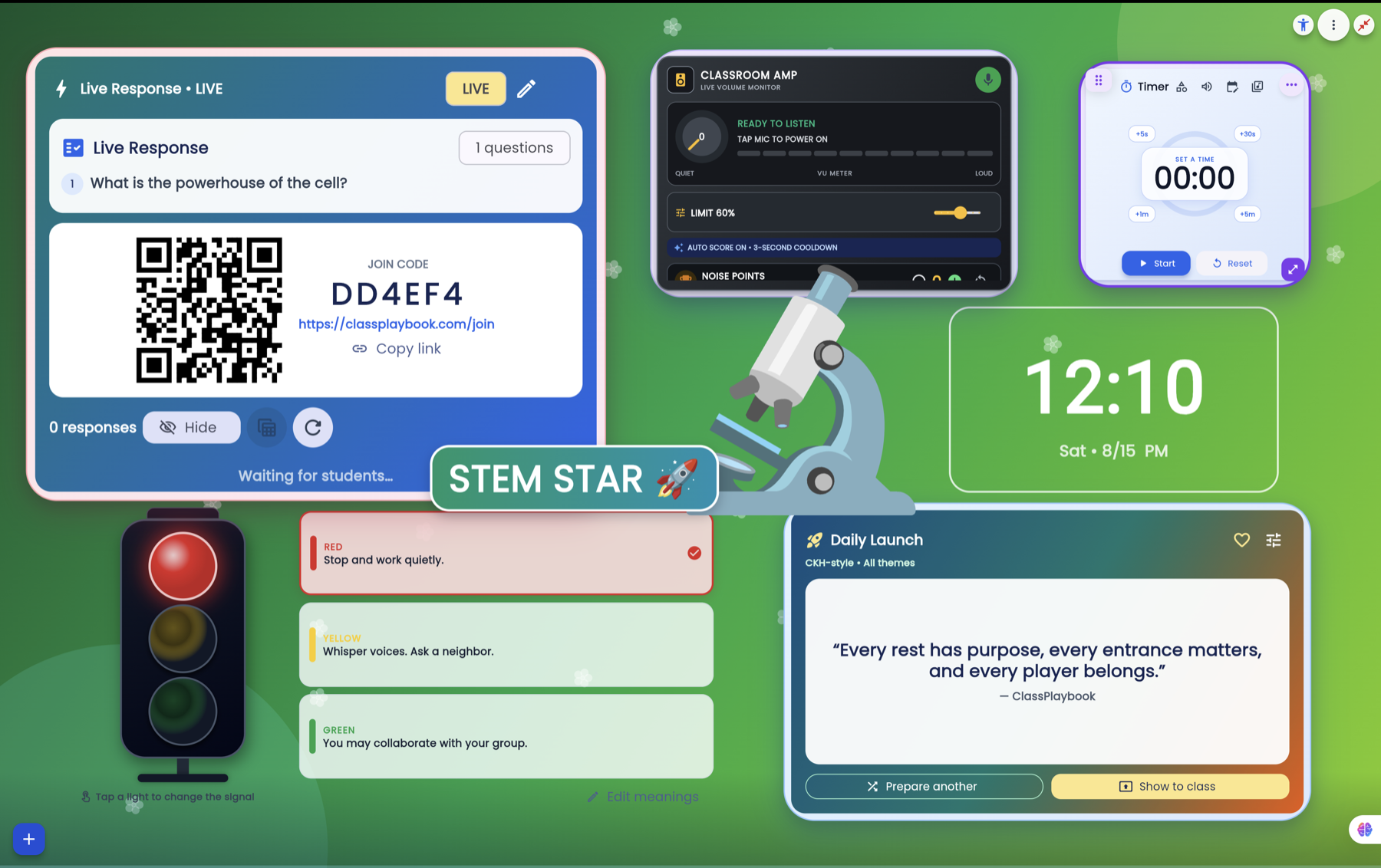
Build a class screen, prepare instruction, manage routines, gather responses, and control supported tools from your phone.
See each feature in motion. These lightweight previews show how the tools fit into the same teacher-controlled classroom workspace.
Arrange timers, agendas, learning objectives, media, routines, and more for each class.
Launch questions, collect student responses, and carry useful results into teacher review.
Control supported classroom tools from a phone while moving around the room.
Use a phone camera for live classroom display, annotation, and scan-to-PDF View.
Prepare standards, activities, media, and supported classroom-screen content by day.
Build free-form room layouts connected to class rosters and learning groups.
Create flexible groups with locks, rules, skill labels, avatars, and seating placement.
Play Draw & Guess, Word Quest, This or That, Mystery Picture, and World Explorer. Bring student devices into supported games with a teacher-led room code.
Start free and build a classroom screen around the way you teach.
Create your ClassPlaybook account →